
Quick Summary
Key Features
- Mid-market exchange rate
- Hold 40+ currencies
- Spend in 150+ countries
- Freeze/unfreeze instantly
Main Advantages
- Free virtual card issuance
- Multi-region availability (5 regions)
Notable Limitations
- Terms change often — the provider's live numbers are final
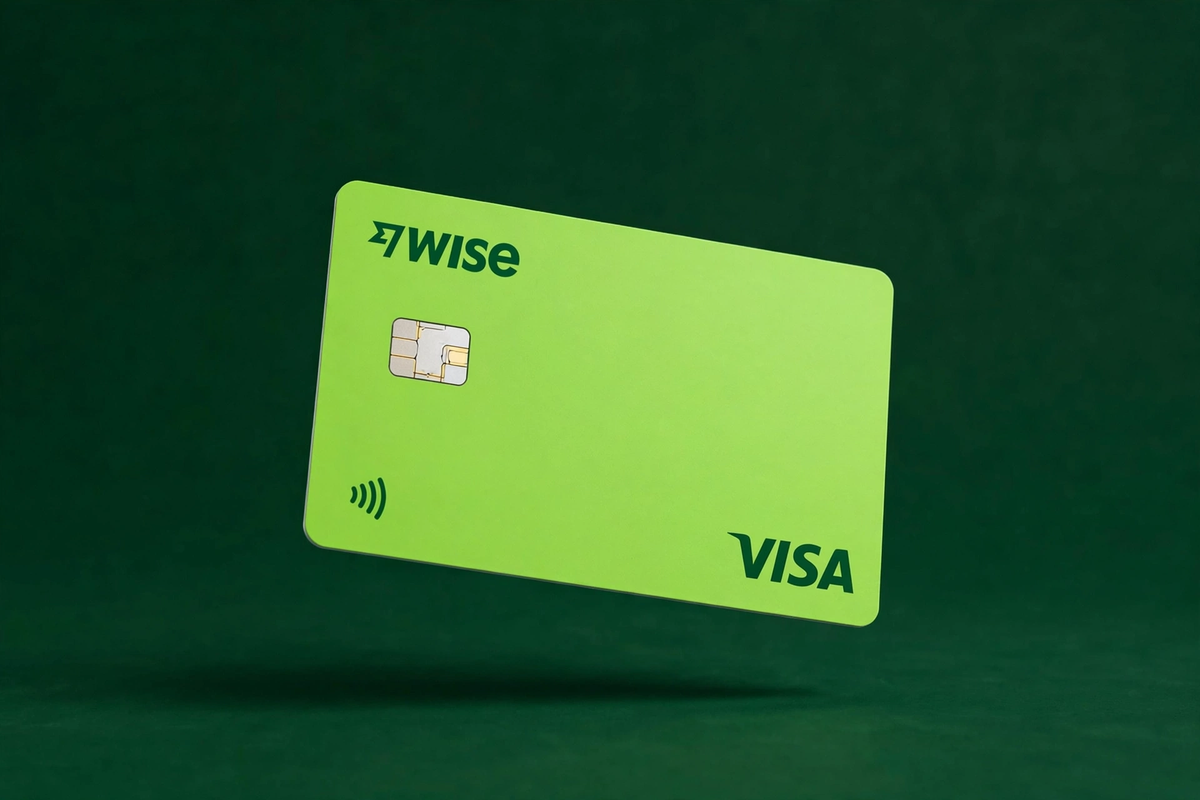
The cards
Every format Wise issues — pick the one that fits how you spend.
1Can I get this card?
Supported Countries Map — powered by our availability data.
Wise: Reported in 56 countries across 5 regions (United States, United Kingdom, Europe, Asia-Pacific, Latin America).
Coverage reported by the provider — the exact applicant list is confirmed in-app.
2What does it cost?
Every fee we could verify for the Wise card.
Fees verified October 13, 2026 from public web sources. Fees change often — always confirm the app's live numbers before signing up. This page is for information only, not financial advice.
| Fee | Wise |
|---|---|
| Issuance fee | $0 |
| Monthly fee | $0 |
| FX fee | Varies by region — confirm in-app |
3What do I get?
Perks, rewards and capabilities that come with the card.
| Category | Benefit |
|---|---|
| Spending & FX | Mid-market exchange rate |
| Spending & FX | Hold 40+ currencies |
| Perks | Spend in 150+ countries |
| Security & controls | Freeze/unfreeze instantly |
4What do they need from me?
What you will have to provide or meet to get and use the card.
| Requirement | What it means |
|---|---|
| Identity check | ID verification required — verify your identity in the app before ordering |
| Funding | You will need a way to load the card: bank transfer, debit/credit card, Apple Pay |
| Age | You must be 18 or older to apply |
What is Wise?
Wise (formerly TransferWise) is a UK-based financial technology company built around one simple idea: moving money across borders should cost what the market says it costs. Its multi-currency account lets you hold, convert, send, and spend more than 40 currencies, and its debit card — including free virtual cards on personal accounts — spends directly from those balances. For anyone who pays in dollars, euros, or pounds while earning in another currency, Wise is the default recommendation, and it has held that position for years.
The card itself is a debit card linked to your balances. When you pay online with the virtual card, Wise pulls from the matching currency balance if you hold it, or converts on the spot at the mid-market rate plus a small published fee. There is no credit, no interest, and no overdraft — you can only spend what you have, which makes it a natural budgeting tool for subscriptions, ads, and travel.
Card types offered
Wise offers two card formats. Personal customers get virtual debit cards for free — these are full card numbers you can use immediately for online purchases, subscriptions, and ad platforms, and you can generate multiple cards for different purposes (one for streaming services, one for ad spend, one for one-off purchases) and freeze or delete any of them without affecting the others. Business customers get up to three free virtual cards per team member.
A physical debit card is also available for a small one-time issuance fee that varies by country. It works anywhere Visa or Mastercard is accepted and supports free ATM withdrawals up to a monthly limit, after which a small fee applies. The physical and virtual cards draw from the same balances, so there is no need to top up a separate card wallet.
Fees explained
Wise's headline advantage is the exchange rate: conversions use the mid-market rate — the real rate you see on Google — plus a fee that starts at around 0.26% depending on the currency pair and how you pay. This is dramatically cheaper than the 3–4% markups baked into most bank cards and regional wallets. A $1,000 conversion that costs $3.50 in fees at Wise can cost $30–40 elsewhere.
Card issuance: virtual cards are free for personal users, and business users get up to three free virtual cards per team member. The physical card carries a one-time fee (varies by region, typically in the single-digit dollar range). There is no monthly or annual card fee.
Top-ups: adding money by bank transfer is free. Topping up with a debit or credit card may carry a small percentage fee, so bank transfers are the economical route. FX fees apply only when you convert between currencies; spending a currency you already hold is free. ATM withdrawals are free up to a monthly allowance, then charged per withdrawal.
How to get a Wise card
- Create a Wise account on the website or app with your email, then complete identity verification (government ID and a selfie; business accounts need company documents).
- Open the balances you need — USD, EUR, GBP and any of the other 40+ supported currencies, each with its own account details.
- Order your card from the Cards section. Choose the virtual card for instant online use, or add the physical card for in-store and ATM spending.
- Fund your account with a free bank transfer, then start spending — the virtual card is usable the moment it is issued.
- Create extra virtual cards for subscriptions or ad accounts as needed, and freeze any card instantly from the app if something looks wrong.
Top-up methods
The primary way to fund Wise is a local bank transfer, which is free and typically the fastest option — Wise gives you local account details in major currencies (US routing plus account number, UK sort code, IBAN in Europe), so transfers arrive as domestic payments. You can also top up with a debit or credit card, which is instant but carries a percentage fee, making it better for small urgent amounts than regular funding. In some regions, Apple Pay and Google Pay are supported for top-ups. There is no stablecoin or crypto top-up — Wise is strictly a fiat platform.
Availability
Wise operates in 150+ countries, though the exact feature set — including card availability, supported currencies, and the one-time account setup fee charged in some regions — varies by country. US, UK, EU, Australian, and Singaporean residents get the full experience. Some regions can use the multi-currency account without the card. Always check the availability page in the app for your country before relying on a feature.
Security and card controls
Wise gives you granular control over every card. Each virtual card can be frozen instantly from the app, and you can set separate spending limits, toggle online payments, ATM withdrawals, and contactless payments per card. If a card number leaks, you delete it and generate a new one in seconds without touching your other cards or balances. Two-factor authentication protects logins and payments, and Wise is regulated as a money transmitter or e-money institution in each market it serves, with customer funds safeguarded in segregated accounts at established banks.
How Wise compares on price
Put Wise next to a typical bank debit card and the difference is stark. A bank card converting $1,000 to euros often hides a 3% spread in the rate — $30 gone without a line item. Wise shows the mid-market rate and a fee of roughly $2.60–$4.30 depending on the pair, and it shows that fee before you confirm. Against other virtual card platforms, Wise usually wins on conversion cost: Payoneer charges up to 3.5% FX, regional wallets charge 3–6%, and crypto cards add top-up fees of 1–1.6% on top of any spread. Wise's weakness is at the edges — no cashback, no crypto funding — but for pure fiat conversion it remains the price leader.
Wise for subscriptions and ad spend
Virtual cards make Wise unusually good at managing recurring online payments. Create one virtual card per subscription or ad account, set a monthly spending limit on each, and a compromised or overcharging merchant can only touch that card's limit — freeze it and the billing stops without disrupting anything else. Media buyers running Facebook or Google ads like this setup because each ad account gets its own card number, which simplifies accounting and limits blast radius if an account is flagged. Just remember the conversion timing: fund the currency you will spend in advance, so ad charges draw from an existing balance instead of converting at whatever rate applies on billing day.
Limits and things to watch
A few caveats before you commit. Wise is not a bank in most countries, so balances are safeguarded rather than covered by deposit insurance schemes like FDIC. Large transfers can trigger additional verification, which is normal but can slow down a first big payment. In some regions, opening a Wise account carries a one-time setup fee, and card availability is not universal — a handful of countries can hold balances but not get a card. Finally, customer support is chat- and email-based; there is no branch to walk into. None of these are dealbreakers for online spending, but they matter if you plan to run your whole financial life through the app.
Who should use Wise?
Wise is the strongest all-rounder on this list. Freelancers invoicing in dollars and spending locally, remote workers paid in euros, travelers, and small businesses paying international suppliers all get near-perfect exchange rates with total transparency — the fee is shown before you confirm every conversion. The only people who should look elsewhere are crypto-native users who want to fund cards directly from stablecoins (Wise has no crypto top-up) and anyone chasing cashback rewards, which Wise does not offer.
Pros
- Free virtual cards on personal accounts
- Mid-market FX — cheapest conversion on this list
- Hold and spend 40+ currencies
- Regulated, rock-solid company with a long track record
- Up to 3 free virtual cards per team member on business plans
Cons
- Not crypto-native — no stablecoin top-up
- No cashback or rewards
- Account setup fee in some regions
- Feature availability varies by country
Card specs
| Feature | Wise |
|---|---|
| Virtual card issuance | $0 |
| Monthly / annual fee | $0 |
| Card network | Visa / Mastercard |
| Card type | Virtual |
| KYC | ID verification required |
| Top-up methods | bank transfer, debit/credit card, Apple Pay |
| Supported assets | — |
| Regions | United States, United Kingdom, Europe, Asia-Pacific, Latin America |
Rating breakdown
Pros & cons
Pros
- Free virtual cards on personal accounts
- Mid-market FX — cheapest conversion on this list
- Hold and spend 40+ currencies
- Regulated, rock-solid company with a long track record
- Up to 3 free virtual cards per team member on business plans
Cons
- Not crypto-native — no stablecoin top-up
- No cashback or rewards
- Account setup fee in some regions
- Feature availability varies by country
Frequently asked questions
Is the Wise virtual card really free?
Yes. Personal customers can create virtual debit cards at no charge. Business customers get up to three free virtual cards per team member. The physical card has a small one-time issuance fee that varies by country.
What exchange rate does Wise use?
The mid-market (interbank) rate — the real rate with no markup — plus a conversion fee starting from around 0.26%. This is far cheaper than the 3–4% markups typical of bank and wallet cards.
Can I use Wise to pay for online ads?
Yes. The virtual card is a standard debit card number accepted anywhere Visa or Mastercard works online, including ad platforms, subscriptions, and checkouts.
Does Wise support crypto top-ups?
No. Wise is a fiat-only platform. You cannot fund it with Bitcoin, USDT, or other cryptocurrencies — only bank transfers, cards, and (in some regions) mobile wallets.
How many currencies can I hold?
More than 40. You get local account details in major currencies like USD, EUR, GBP, and AUD, so you can receive money as if you had a local bank account.
Is Wise available in my country?
Wise operates in 150+ countries, but card availability and features vary. Check the app's availability page for your region before signing up.
Our verdict
Wise earns our top score because it does the hardest thing in virtual cards — cheap, transparent currency conversion — better than anyone else. Free virtual cards, mid-market rates, and 40+ currency balances make it the best default choice for global spending. The only real gaps are the lack of crypto funding and rewards, which matter less than the money you save on every conversion.
Get the Wise card
Apply directly with the provider — check current fees and availability for your country in their app.
Visit Wise's official site →Fees verified October 13, 2026. Always confirm live numbers in-app.